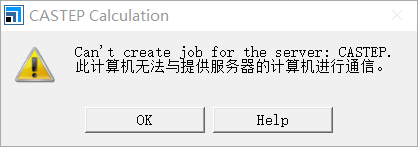
MS开始计算Run后报错:此计算机无法与提供服务器的计算机进行通信。

报错内容如图
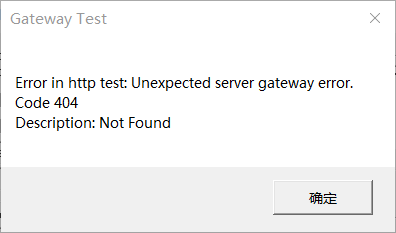
Materials Studio Gateway服务正常运行,卸载软件里修复 BIOVIA Materials Studio Gateway也不行,Test Gateway后报错如下(如图):
Start tests for host localhost, port 18888
IP address is ::1
Ping result = Success
Ping round trip time was 0 msecs
Test connection to https://localhost:18888/ ...
Error in http test:
Unexpected server gateway error.
Code 404
Description: Not Found
Tests failed
求帮助这个问题怎么解决呀,之前是好的,后来出现了问题重装软件和license也不行 返回小木虫查看更多
今日热帖








 京公网安备 11010802022153号
关闭MS,找到安装包的位置,双击Accelrys Materials Studio Gateway Service (x64).msi,选择repair,然后install,安装完再打开MS就好了,亲测可行,
有可能是linux的防火墙把18888端口挡住了,在iptables里添加一下试试。