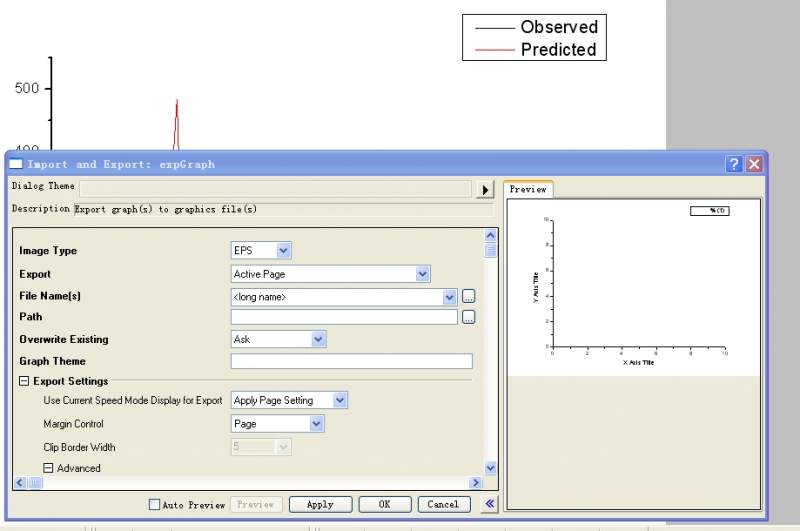
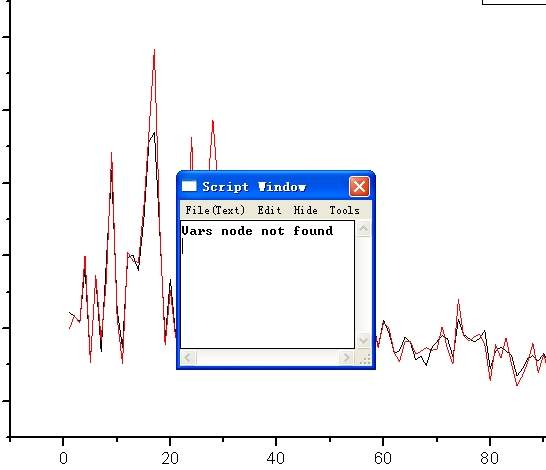
ORIGIN做好的图点file-export graph,预览只能看到坐标轴,输出出错。怎么解决。

ORIGIN做好的图,点file-export graph,预览只能看到坐标轴,输出即出错。怎么解决,有图。
1111.JPG
222.JPG 返回小木虫查看更多
今日热帖
ORIGIN做好的图,点file-export graph,预览只能看到坐标轴,输出即出错。怎么解决,有图。
1111.JPG
222.JPG 返回小木虫查看更多



 京公网安备 11010802022153号


copy page 然后粘贴试试吧
不能加图了,我说下吧,图画好后,出来一个提示窗口:
reminder message(提示窗窗口名称)
Origin graphs are created from templates.Once you customize any graph,you can save it as a custom template for repeat use. To view availa templates,use the plot:template library menu item.
A system theme is by default applied to newly create graphs.Theme settings override template setting.Use the Theme Organizer(F7) to change or turn off the system theme.(提示内容)
谢谢,
谁能帮帮忙呢
有用到模板吗?新建一个project,把数据粘贴进去重新作图试试
我遇到过类似问题,我的办法很笨。现在ori中copy page,然后打开windows画图,拉框全选画图纸,粘贴进去,这样生成图像像素也很高。只是不能像export graph一样任意调像素。但是文件格式在保存画图的时候可以选择。
希望能帮到你。
没遇到过这种情况
是不是系统的问题呢?
当然也可以像楼上说的那样 直接把图拷出来
数据被删了,输出才只有坐标,重新做个worksheet,输入数据,重做