









| 查看: 3241 | 回复: 16 | |||
| 当前只显示满足指定条件的回帖,点击这里查看本话题的所有回帖 | |||
[求助]
origin 3D画图求助 已有2人参与
|
|||

|
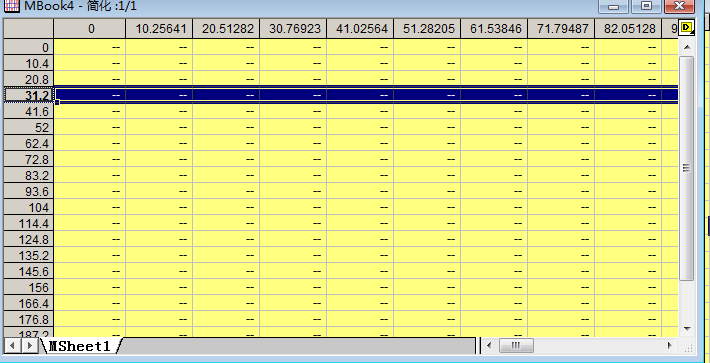
这几天使用origin作图 做一个3d的 wire图 z(x,y) 0 或者怎么可以减少矩阵的维数? 使数据减少一些 因为即使在origin中调整到了下图的样子 粘贴或者输出到word中就变成了密密麻麻的一堆线了 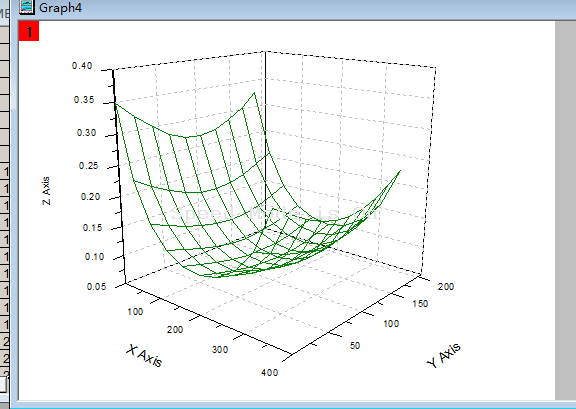 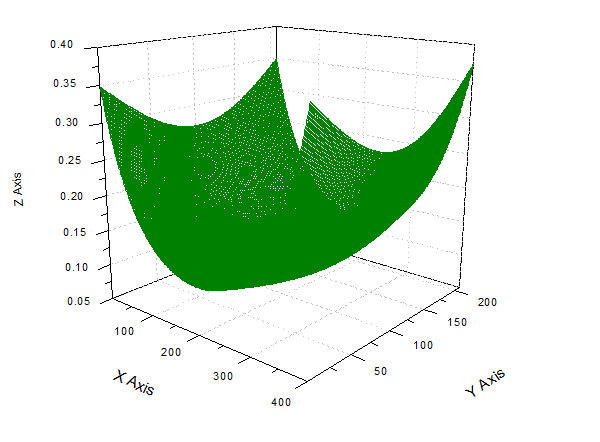 |
 回复此楼
回复此楼» 猜你喜欢
 40+中年人失业后,还能找到好工作吗?
已经有16人回复
40+中年人失业后,还能找到好工作吗?
已经有16人回复
-
人工智能虚构史料、伪造文献频现,多家期刊声明抵制
已经有4人回复
-
CsPbI2Br全无机钙钛矿SEM图像异常分析
已经有8人回复
-
请问社科规划办官网上的“项目查询模块”与“项目申报模块”的账号密码一样吗?
已经有3人回复
-
用NBS溴化时溶剂除了CCl4外还有什么
已经有9人回复
-
二审4个多月了还是Awaiting Reviewer Scores
已经有5人回复
-
申请科研项目纯靠实力能成功吗?
已经有12人回复
-
极限拉扯,如何抉择
已经有15人回复
【答案】应助回帖
|
The display of data in a graph window is controlled by a feature referred to as Speed Mode. This feature can be found on the Size/Speed tab at the layer level of the Plot Details dialog box by selecting Format: Layer Properties. There are two separate controls, one for graphs plotting from worksheet and another for matrix: Worksheet data, maximum points per curve. Matrix data, maximum points per dimension. When enabled (it is often enabled by default), you can use Speed Mode to affect the display (and redraw speed) of your graph by reducing the number of data points used to plot each dataset contained in the layer. Graph windows that contain large datasets will therefore redraw much quicker when using this feature. It is important to note, however, that these controls do not affect the image you will obtain when exporting your graph. A separate control has been added for this purpose and is most likely the reason why your graph does not look the same on screen as it does in your exported image. Select Format  age Properties and then click on the Miscellaneous tab. The control is called If speed mode is enabled for display, apply to graphic export as well. If you want your graph to export using your current Speed Mode settings, enable this check box. If you want your graph to export using all your data, leave this check box unchecked. age Properties and then click on the Miscellaneous tab. The control is called If speed mode is enabled for display, apply to graphic export as well. If you want your graph to export using your current Speed Mode settings, enable this check box. If you want your graph to export using all your data, leave this check box unchecked. |

16楼2015-07-15 22:19:13
3楼2012-06-02 11:12:44
4楼2012-06-02 11:15:14
laurencelr
木虫 (小有名气)
- 应助: 6 (幼儿园)
- 金币: 1805.3
- 散金: 10
- 红花: 3
- 帖子: 283
- 在线: 121小时
- 虫号: 543418
- 注册: 2008-04-10
- 专业: 可再生与替代能源利用中的
5楼2012-06-02 16:45:09