









| 查看: 5665 | 回复: 17 | ||
| 当前只显示满足指定条件的回帖,点击这里查看本话题的所有回帖 | ||
[求助]
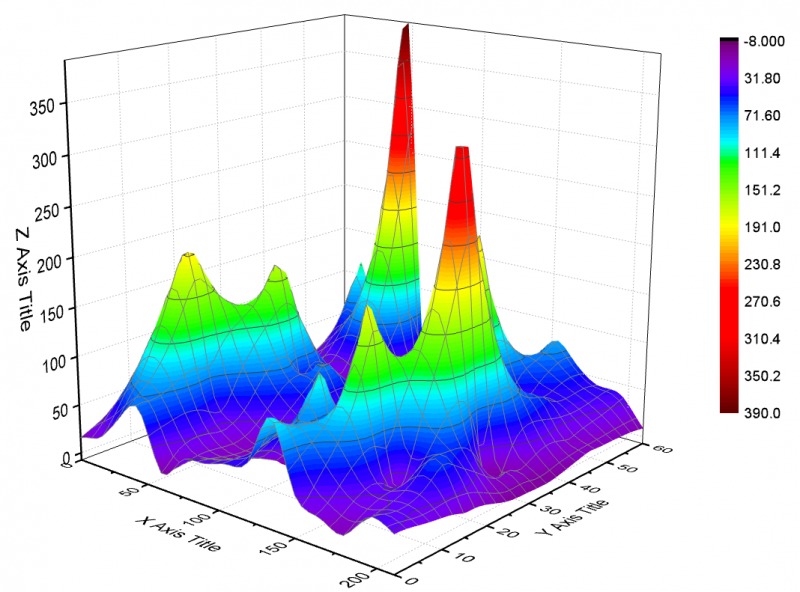
如何用ORIGIN 8.5作光滑的曲面图 已有1人参与
|
||

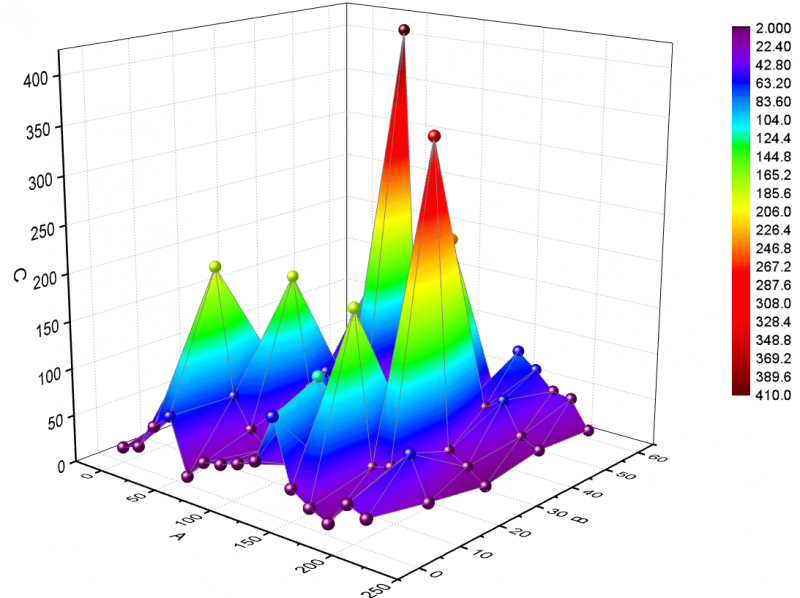
| 请教帮忙按附件里的数据作一个三维的光滑的曲面图,同时把作图的步骤给我说一下,十分感谢。 |
 回复此楼
回复此楼» 本帖附件资源列表
-
欢迎监督和反馈:小木虫仅提供交流平台,不对该内容负责。
本内容由用户自主发布,如果其内容涉及到知识产权问题,其责任在于用户本人,如对版权有异议,请联系邮箱:xiaomuchong@tal.com - 附件 1 : 云图(三维曲面).opj
2015-01-27 16:07:05, 23.53 K
» 本帖已获得的红花(最新10朵)
 狼月321
狼月321» 猜你喜欢
 售SCI-T0P文章,我:8O.5.5.1.O.54,科目齐全,可+急
已经有3人回复
售SCI-T0P文章,我:8O.5.5.1.O.54,科目齐全,可+急
已经有3人回复
-
售SCI一区T0P文章,我:8O.55.1.O.5.4,科目齐全,可+急
已经有4人回复
-
上海工程技术大学 激光智能制造课题组 2027级博士研究生招生
已经有6人回复
-
课题组招2027级博士 上海工程技术大学 激光智能制造方向
已经有6人回复
-
现代”学阀”该如何界定
已经有14人回复
-
求合成方法
已经有8人回复
-
师弟论文见刊大半年才想起来申请专利,还能抢救一下吗?
已经有4人回复
-
有机合成以后会不会被AI改变?做科研的虫友怎么看
已经有8人回复
-
我的奶奶
已经有3人回复

16楼2017-09-13 20:19:26
【答案】应助回帖
感谢参与,应助指数 +1
| Select Worksheet: Convert to Matrix: XYZ Gridding to open the dialog. Expand the Gridding Settings section, then expand the Gridding Method and Parameters section. Select Random (Thin Plate Spline) from the drop-down list, and set both the Columns and Rows to the value of 50. Click OK to convert the XYZ data into a matrix. |
2楼2015-01-28 13:20:12
3楼2015-01-28 13:21:29
4楼2015-01-28 13:23:08